
WeatherLive Pro - Radar Alerts
Trung Kien CN Company LimitedWeather
4.212.00 Reviews
- Version
- 1.0.1.0
- Installs
- 100.00K
- Age Rating
- Everyone
Screenshots
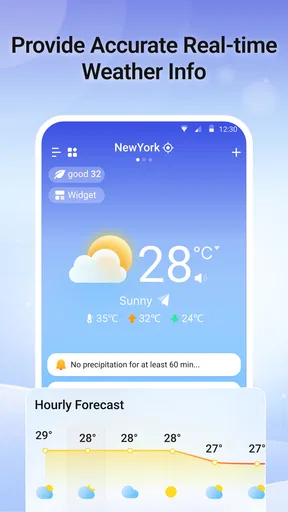
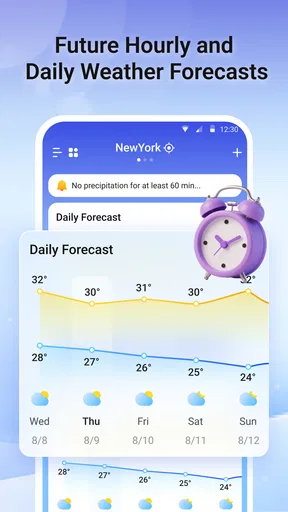
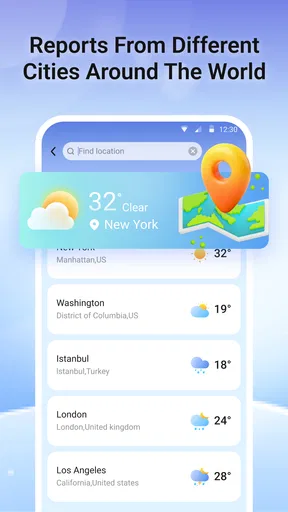
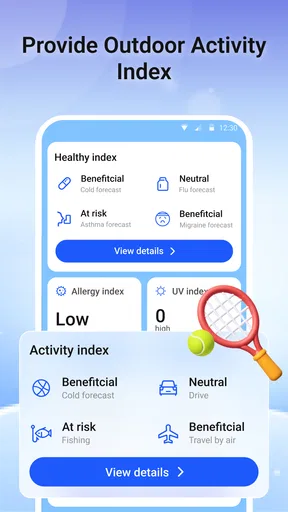
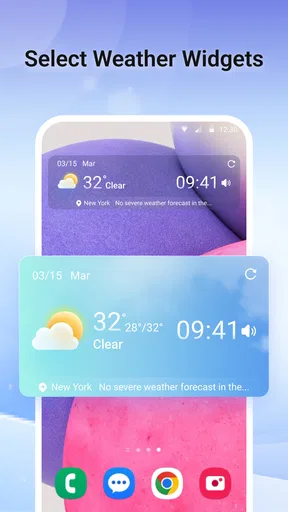
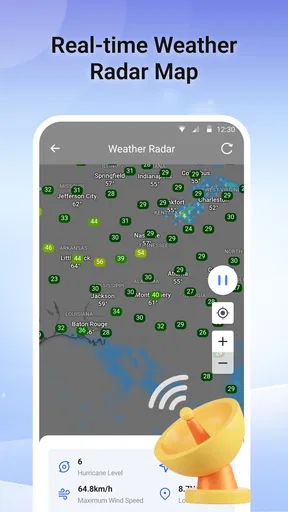
Our Review of WeatherLive Pro - Radar Alerts
 Analysis by Appyee
I spend more time checking the weather than I would like to admit, usually while getting ready for work, deciding whether to walk, or trying to judge if an evening plan is worth keeping. WeatherLive Pro - Radar Alerts caught my attention as a free weather app from Trung Kien CN Company Limited, and after using it as a daily forecast tool, I found it easiest to appreciate when I treated it as a quick decision-making aid rather than a complete replacement for every weather service.
The app is listed for Everyone and works on Android devices running version 8.0 or later. Its current release is 1.0.1.0, and it arrived on March 20, 2026. Those details matter because an app that looks simple can still feel very different on an older phone than on a recent one. In my experience, the appeal here is the straightforward purpose: open it, check the conditions, and decide what to do next without turning a basic forecast into a research project.
Its public reception is encouraging without being overwhelming: the app holds a 4.2 average from around 2K ratings, with around a dozen written reviews and over 100K installs. I would read that as a sign of a growing weather tool rather than a long-established standard. The free price also makes it easy to test alongside your current weather app instead of forcing an immediate switch.
How WeatherLive Pro - Radar Alerts feels in everyday use
I find WeatherLive Pro - Radar Alerts easiest to judge through a small, real decision: checking whether I should change what I’m carrying or when I leave. Its radar-and-alert focus invites a closer look at conditions that may affect plans soon, while a quick check can keep weather from becoming an all-day distraction. That everyday role also makes the first setup worth keeping simple.
Quick checks are where it makes the best impression
The most useful weather app is often the one that gets out of the way. I do not always need a detailed explanation of atmospheric conditions; I need to know whether I should take an umbrella, postpone a bike ride, or bring an extra layer. WeatherLive Pro - Radar Alerts fits that kind of short visit. Its role as a daily weather companion is clear, and the experience makes the most sense when I open it with a specific question in mind.
That approach also shapes my expectations about speed. A weather app should feel ready quickly enough for a glance at the door, but perceived speed is not only about how fast the first screen appears. It is also about how little effort is needed to understand what is shown. If I have to hunt through several screens before finding the information that affects my plan, the app feels slow even when the interface itself responds promptly.
I found the free model especially useful for casual users who want to compare it with the weather tool already installed on their phone. There is no purchase decision to make before trying it, so I could judge its place in my routine based on convenience. That is a better fit for someone who checks conditions a few times a day than for a user searching for a professional forecasting workstation.
A practical morning routine
My most realistic use case is a weekday morning. Before leaving, I check the current conditions, look ahead to the part of the day when I will be outside, and then make a simple choice about clothing and transport. If rain is possible later, I would rather carry a compact umbrella from home than discover the problem after arriving at work. WeatherLive Pro - Radar Alerts works well in this routine because the app is being used as a fast prompt for action, not as something I leave open continuously.
A small but useful habit is to check again immediately before a time-sensitive trip instead of relying only on an early-morning glance. Weather can change, and a forecast viewed hours earlier may no longer answer the question you are asking now. This is not a special feature claim; it is a sensible workflow for any weather application. The advantage of a lightweight app is that repeating that check does not have to become a major interruption.
For family plans, I would use it slightly differently. I would check the conditions before choosing an outdoor activity, then check once more before leaving with children. That second look can influence whether I pack spare clothes, change the destination, or choose an indoor option. The app is most valuable here when it supports a clear decision rather than encouraging me to stare at forecast details without knowing what I will do with them.
Where the radar-and-alert focus helps
The name places attention on radar and alerts, which suggests a more immediate style of weather checking than a simple temperature display. For me, that is useful when the question is not “What is the general forecast?” but “Do I need to pay attention to changing conditions before I go out?” A radar-oriented workflow can be more relevant for short trips, outdoor errands, and commutes than a single daily summary.
There is an important trade-off, though. Radar information is most useful when I already know the location and time window I care about. It can become less helpful if I expect it to explain every longer-range weather possibility or replace a full planning service. I would use the radar view for near-term awareness and a broader forecast source when planning several days ahead, travel, or an event where weather is only one part of the decision.
Alerts can also be valuable, but they need to support attention rather than create noise. I would keep notifications focused on situations that could genuinely affect my plans and avoid treating every change as urgent. That selective approach is one of the better ways to use a weather app: let it interrupt me only when the information is more useful than the interruption.
What happens during heavier use
Weather apps often seem effortless when opened once, but the experience changes when I switch locations, revisit the app repeatedly, or compare current conditions with a planned journey. Those are the moments when navigation clarity and recovery matter more than a polished first impression. WeatherLive Pro - Radar Alerts is best approached in short sessions, particularly if I am checking several places for work, family, or travel.
On a busy day, I would avoid opening it every few minutes just to watch conditions change. That is not an efficient use of any weather app, and it can make a simple tool feel demanding. A better workflow is to check before leaving, again when a delay or change matters, and once more before a return trip if the weather is uncertain. This reduces unnecessary screen time while keeping the app connected to real decisions.
For outdoor activities, I would combine the app with a simple backup plan. If I am going for a long walk, I would check the near-term picture before leaving and choose a route with somewhere to shelter. If I am organizing a small gathering, I would avoid making the entire plan depend on one forecast screen. This is not a criticism unique to this app; it is a reminder that weather information is guidance, not a guarantee.
Stability and recovering from interruptions
Reliability in a weather app has two layers. The first is whether the application remains usable when I open it repeatedly. The second is whether I can recover easily after switching away, losing attention, or returning later with a different question. I judge WeatherLive Pro - Radar Alerts more favorably when I use it as a focused utility: open it, read what matters, and close it.
That short-session pattern also makes recovery less frustrating. If I am interrupted while checking the forecast, I can simply return and begin the check again rather than treating the app as a continuous dashboard. For someone who wants a weather screen running all day, that may not be the ideal relationship with the app. For someone who wants a dependable check before leaving home, the simpler routine is more appropriate.
I would still keep a second source available for high-consequence decisions. A forecast can be wrong, a connection can be unavailable, and an alert can arrive later than expected. If I were driving through unfamiliar areas, planning a flight, managing a worksite, or making a safety-sensitive decision, I would consult official local warnings as well. WeatherLive Pro - Radar Alerts can be part of that process, but I would not make it the only authority.
Older phones and resource expectations
The Android requirement begins at version 8.0, which gives the app a reasonably broad device range. That does not mean every phone will feel identical. Older hardware may take longer to open weather screens or redraw map-based information, while newer devices are likely to feel more comfortable during repeated checks. I would be particularly aware of this difference if I were using a budget phone with limited storage or many other apps competing for attention.
Because this is a weather utility, I would prefer to keep its role controlled rather than letting it become a constant background habit. Checking manually when I need it is a sensible way to reduce unnecessary battery and data use, especially on an older device. If I enable alerts, I would review whether they are genuinely helping my routine. A notification that changes a decision is worthwhile; a stream of minor updates is not.
There is also a screen-size consideration. Radar-style information benefits from enough space to interpret movement and location, so a very small display may make the experience less comfortable than a larger phone. On a tablet or a modern handset, visual weather information should be easier to inspect. On compact hardware, I would use it for quick checks and avoid expecting a detailed map view to replace a larger planning screen.
Storage and operating-system age are not the only constraints. If a phone is already overloaded with background tasks, the app may feel less responsive simply because the entire device is under pressure. Before blaming the weather application, I would close unused apps, update the operating system where possible, and make sure the device has enough free space. Those steps are especially relevant for anyone trying it on an older Android phone.
How it compares with usual weather alternatives
Most Android and iOS users already have a built-in weather option, and that is the first alternative I would compare here. A default weather tool is convenient because it is already part of the phone experience and may be enough for temperature, basic forecasts, and occasional checks. WeatherLive Pro - Radar Alerts becomes more interesting when I want a dedicated weather destination with a stronger focus on radar-style awareness and alerts.
It is also different from a full weather website viewed in a browser. A browser can be useful for comparing several forecasting sources or reading detailed local information, but it adds more steps and can feel less direct during a commute. This app makes more sense when I want a repeatable mobile routine. On the other hand, a website may be better when I need to investigate unusual weather, compare regions, or read official advisories in depth.
Specialist weather applications can offer more depth for outdoor sports, aviation, sailing, agriculture, or professional planning. I would choose one of those when the forecast needs to support technical decisions or long sessions of analysis. WeatherLive Pro - Radar Alerts is better suited to ordinary daily choices: whether to leave now, what to carry, and whether an outdoor plan needs a backup.
The free price is another practical difference from paid specialist tools. It lowers the barrier to experimentation, but it also means I would judge the app by convenience rather than expecting a complete professional system. For a household, student, commuter, or casual traveler, that balance may be exactly right. For a user who needs advanced forecasting controls, a more specialized alternative will probably justify its extra complexity.
Who should use it, and who should skip it
I would recommend trying WeatherLive Pro - Radar Alerts if you want a dedicated weather app for quick daily checks and you like the idea of combining immediate awareness with radar and alert-oriented use. It is a sensible candidate for commuters, parents organizing outdoor time, students walking between locations, and anyone who repeatedly asks whether it is safe or comfortable to head outside right now.
I would be more cautious about recommending it as the only weather resource for demanding situations. If you need detailed long-range planning, specialist meteorological information, or official emergency guidance, you should use a service designed for that purpose as well. The app can remain useful in those cases, but it should occupy a supporting role rather than carry the entire decision.
I would also skip it if your current built-in weather tool already gives you everything you need and you do not want another app or another source of notifications. Installing a second weather app only helps when it improves a real part of your routine. The fact that it is free makes testing easy, but free does not automatically mean necessary.
Small habits that improve the experience
My first tip is to define the question before opening the app. “Should I take an umbrella?” requires a different glance from “Can I plan an outdoor event this weekend?” Keeping those questions separate prevents radar information, alerts, and general forecasts from blending into one vague impression.
My second tip is to check at decision points instead of checking constantly. Before leaving, before starting an activity, and before the return journey are more useful moments than repeatedly refreshing a screen without changing your plan. This also keeps the app’s demands on attention, battery, and data more reasonable.
My third tip is to treat alerts as prompts to reassess, not automatic instructions. When a notification arrives, I would look at the situation and then decide whether to change my route, clothing, timing, or destination. That extra step matters because a warning can be relevant to one location and less important a short distance away.
My fourth tip is to keep official local information in the loop when conditions could become dangerous. A consumer weather app is convenient for everyday planning, but serious warnings deserve confirmation from appropriate local authorities. This layered approach gives WeatherLive Pro - Radar Alerts a useful job without asking it to do more than a mobile weather companion should.
My final performance verdict
WeatherLive Pro - Radar Alerts succeeds most clearly as a focused, free weather utility for people who want quick access to everyday conditions and a more alert-oriented way to think about changing weather. I like its low-risk entry point, its clear daily purpose, and the way it can fit into short routines without requiring a major commitment. The app’s growing audience and 4.2 average suggest that many users are finding value in that approach.
My recommendation comes with boundaries. I would not replace every weather source with it, and I would not assume that radar or alerts remove the need for judgment. Older phones, small screens, repeated location checks, and notification-heavy habits may also affect how comfortable it feels. Used selectively, though, it is a practical addition for checking conditions before ordinary plans.
For me, the deciding question is simple: do you want a dedicated app that helps answer immediate weather questions, or do you need a deep forecasting workspace? If the first description sounds like your routine, I think it is worth trying. If the second describes you, keep looking at specialist or official alternatives. My overall view is that this is a useful everyday companion when speed, simplicity, and timely awareness matter more than professional-level depth.
As a free app for Everyone, with support for Android 8.0 and newer, WeatherLive Pro - Radar Alerts is accessible to a wide range of users. I would install it for commuting, family outings, and short outdoor plans, then keep my expectations realistic: use it to make better immediate choices, verify important warnings elsewhere, and avoid turning every forecast change into a reason to worry.
Verdict
Strengths of WeatherLive Pro - Radar Alerts
- Detailed radar maps help track rain, storms, and changing conditions.
- Custom weather alerts can warn you about severe conditions in advance.
- Multiple forecast views make short- and long-term planning easier.
- Supports location tracking for weather updates wherever you travel.
- Clean interface presents temperature, wind, and precipitation clearly.
Limitations of WeatherLive Pro - Radar Alerts
- Many advanced features require a paid subscription.
- Frequent notifications may feel excessive without careful customization.
- Radar accuracy can vary depending on your region and data coverage.
- Live weather maps may consume extra battery and mobile data.
- Some forecasts may differ noticeably from local weather services.
Similar Picks in This Category
View All
Weather - By Xiaomi
Xiaomi Inc.4.1

Weather & Radar Forecast
WetterOnline4.8

Weather
OneLouder Apps4.6

AccuWeather: Weather Radar
AccuWeather3.6

The Weather Channel - Radar
The Weather Channel4.6

1Weather Forecasts & Radar
OneLouder Apps4.3
Frequently Asked Questions
What is WeatherLive Pro - Radar Alerts used for?
WeatherLive Pro - Radar Alerts is designed to provide detailed weather information in one place. It typically includes current conditions, hourly and daily forecasts, radar maps, severe-weather notifications, temperature details, wind speed, humidity, and precipitation data. It is useful for planning commutes, travel, outdoor activities, and everyday routines, although forecasts can still change and should not replace official emergency guidance.
Does WeatherLive Pro - Radar Alerts provide real-time radar and severe-weather notifications?
The app focuses on radar-based weather monitoring and alerts, allowing users to follow rain, storms, and other changing conditions through map views and notifications. Availability and accuracy may depend on your location, data providers, internet connection, and notification permissions. Before relying on an alert for safety decisions, compare it with warnings from your national weather service or local emergency authorities.
Is WeatherLive Pro - Radar Alerts free to download, or does it require a subscription?
WeatherLive Pro - Radar Alerts may offer basic weather information at no initial cost while reserving advanced features for a premium plan. Depending on the version and platform, paid features can include an ad-free experience, extended forecasts, additional radar layers, more alerts, or enhanced widgets. Always review the current App Store or Google Play listing and subscription terms before confirming a purchase.
What permissions does WeatherLive Pro - Radar Alerts need?
For more relevant forecasts, the app may request access to your approximate or precise location. Notification permission can be required for storm and forecast alerts, while background activity may help refresh weather information or widgets. You can usually deny optional permissions and enter a location manually, but doing so may reduce automatic updates or make location-based warnings less convenient.
Can WeatherLive Pro - Radar Alerts be trusted for important weather decisions?
The app can be a convenient source for forecasts, radar imagery, and routine weather planning, but no weather application is perfectly accurate in every region or situation. Forecast quality depends on local coverage, rapidly changing conditions, and the data source. For hurricanes, tornadoes, floods, lightning, or other dangerous events, use the app as an additional tool and follow official alerts and emergency instructions.
